

TrendTrader Pro Signals API: Every Algorithmic Trade as JSON, Included With Pro
One GET request returns every algorithmic trade across 1,000+ markets as JSON, daily and intraday. Included with Pro. Here is what comes back and how to get your key.

The TrendTrader Pro Signals API is live. It is a trading signals API in the plainest sense: one GET request returns every algorithmic trade the platform shows, across 1,000+ markets, daily and intraday, as JSON. It is included with the Pro plan at no extra cost. You generate the key on the API page in the app.
Since launch we have had well over 100 requests from subscribers asking when they would get the feed the platform itself runs on. This is that feed. Your own bot, model, spreadsheet or dashboard can now read the same daily trend and the same intraday flips the dashboard shows, picked up by your next poll.
What is the TrendTrader Pro Signals API?
The Signals API is a read-only HTTP endpoint on the TrendTrader Pro app. You send one GET request with your API key, and it answers with a JSON object holding two lists: the current daily trend for every market, and the most recent intraday flip for every market. If you are new to the platform, What Is TrendTrader Pro? explains what an algorithmic trade is before you read it as JSON.
GET https://app.trendtrader.pro/api/v1/signals
Authorization: Bearer ttp_live_…
No SDK, no webhooks to register, no pagination. One endpoint, two optional query parameters, JSON out.
The documentation lives at trendtrader.pro/api, and it is the full reference: parameters, fields, status codes, limits.
What data does the API return?
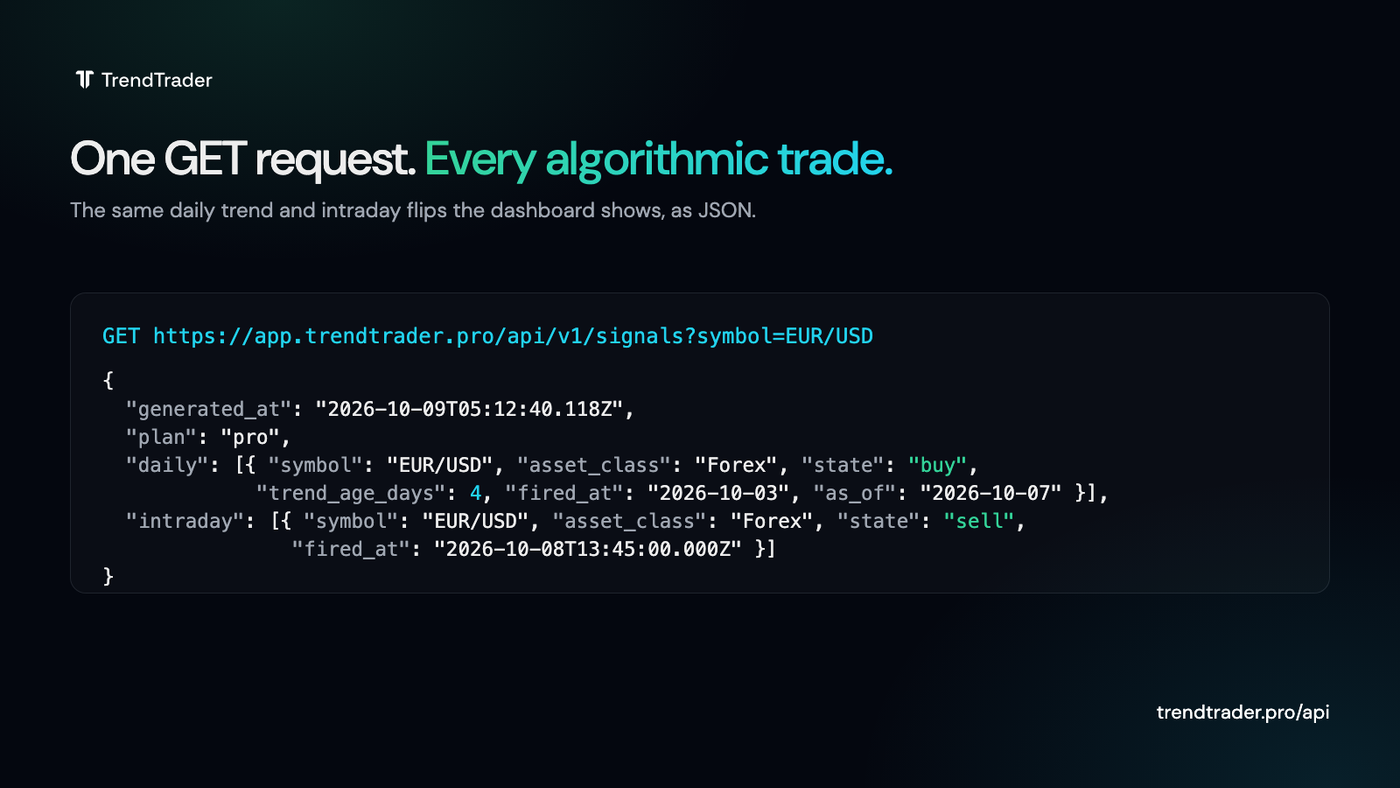
Each list holds one row per market. A daily row tells you the market's current state and the date the trend fired. An intraday row tells you the latest flip and its exact time. The example is abridged: a real response also carries the disclaimer field.
{
"generated_at": "2026-10-09T05:12:40.118Z",
"plan": "pro",
"count": 2,
"daily": [
{
"symbol": "EUR/USD",
"asset_class": "Forex",
"timeframe": "daily",
"state": "buy",
"trend_age_days": 4,
"fired_at": "2026-10-03",
"as_of": "2026-10-07"
}
],
"intraday": [
{
"symbol": "EUR/USD",
"asset_class": "Forex",
"timeframe": "intraday",
"state": "sell",
"fired_at": "2026-10-08T13:45:00.000Z"
}
]
}
The fields map one to one onto the dashboard:
| Field | Type | Meaning |
|---|---|---|
| symbol | string | The market, written as the app writes it: EUR/USD, BTC/USD, AAPL. |
| asset_class | string | Forex, Crypto, Stocks, ETFs, Indices or Commodities. |
| timeframe | string | daily or intraday, the list the row belongs to. |
| state | string | buy, sell, between (the dashboard's Between Zones state: no trade on either side) or awaiting (no algorithmic trade for that market yet). A row is the market's current state, however old it is. |
| trend_age_days | integer, daily rows | The number shown beside the daily row in the app: the age of the trend structure the row is anchored to. 0 for between and awaiting rows. |
| fired_at | date (daily) or datetime (intraday) | The date the current daily trend fired, or the exact time of the intraday flip. null for daily between and awaiting rows. |
| as_of | date, daily rows | The last daily bar the row was computed on. |
One difference from the app: the in-app intraday feed hides markets with no fresh intraday data, while the API returns the most recent intraday flip on record for every market. Check fired_at before you act on an intraday row.
Every response also carries the educational disclaimer the platform carries. The API gives you data to build with, not instructions to trade.
How do I get an API key?

- Log in to the app and open API in the left menu, or go straight to app.trendtrader.pro/api.
- Click Generate key (or Generate new key if you already have one).
- Copy the key. It is shown once. We store only a hash, so a lost key cannot be recovered, only replaced.
At most one live key per account. Generating a new key revokes the old one immediately, and Revoke (with a confirm click) works on any plan. Calls need an active Pro subscription; on Core the page explains that the API is included in Pro and links to the plan.
Keep the key server-side. Never ship it inside a browser, a mobile app or a public repository. It identifies your account.
Quick start: your first request
The whole feed:
curl -s -H "Authorization: Bearer $TTP_KEY" \
https://app.trendtrader.pro/api/v1/signals
Two markets, only flips since a timestamp:
curl -s -H "Authorization: Bearer $TTP_KEY" \
"https://app.trendtrader.pro/api/v1/signals?symbol=EUR/USD,BTC/USD&since=2026-10-08T00:00:00Z"
Both query parameters are optional. Omit both for the whole universe.
| Parameter | Format | Limit | Behavior |
|---|---|---|---|
| symbol | Comma-separated markets, for example EUR/USD,BTC/USD,AAPL | Up to 50 | Returns only the markets you name. |
| since | ISO-8601 date (2026-10-08) or datetime with a zone (2026-10-08T00:00:00Z) | One value | Daily rows keep trends that fired on or after the calendar date you wrote (never shifted to UTC). Intraday rows keep flips at or after that moment. Daily between and awaiting rows are left out whenever since is set. |
How often should you call the API?
The feed is each market's current state, not an event log. Daily flips are detected hours after the daily bar closes, so one call a day with a one-day since overlap keeps you current. Intraday flips arrive through the session, so poll every 60 seconds or slower.
The unfiltered feed is cached at our edge for 60 seconds, so calling faster returns the same data. There is also a limit of 20 requests per minute per IP address; past it the API answers 429 and tells you how long to wait. The limit counts every request from the IP address, so several clients behind one address share it.
Responses carry Cache-Control: no-store. Read them, act on them, do not cache them yourself.
| Code | Meaning | What to do |
|---|---|---|
| 200 | Success. | Read the JSON object. |
| 400 | Bad symbol or since value. | Check the request parameters. |
| 401 | Missing, malformed, unknown or revoked key. | Check the authorization header; generate a new key if yours was lost or revoked. |
| 403 | The account has no active Pro subscription. | Upgrade to Pro. |
| 404 | Wrong hostname. The API answers on app.trendtrader.pro only. | Use app.trendtrader.pro. |
| 429 | Rate limit exceeded: 20 requests per minute per IP. | Wait the seconds in the Retry-After header (600 = 10 minutes). |
| 500 or 503 | A brief problem on our side. | Retry with backoff. |
What can you build with the Signals API?
The dashboard is one way to read the algorithm. The API makes it the input to whatever you already run.
A bot that follows the daily trend
Pull the daily list each morning, filter state by the markets you trade, and let your own execution rules handle entries, sizing and exits. The algorithm fires the direction; your code decides what to do with it. If you want the thinking behind holding a direction until it flips, read trend trading strategies first.
An intraday direction filter
Poll the intraday list every minute and use the latest flip as a direction filter for your own setups, which is how the founder uses TrendTrader Pro himself: his own strategy, the algorithm as the final direction check.
A watchlist in your own tools
Pipe symbol, state and trend_age_days into a spreadsheet, a Notion table or a Discord channel you own. Private use is fine; publishing or reselling the feed is not.
A model input
Feed state and fired_at into your own analysis as a labeled feature. The feed is a current snapshot, so store each pull yourself if you want a history.
The thing to internalize: the API delivers the same directional reads as the platform. A buy row means the algorithm's current state for that market is Buy, and trend_age_days says how long that structure has held. It is not a recommendation to any person to buy or sell anything.
Is the API included in Pro?
Yes. The API is included in the Pro plan. There is no separate API tier and no usage fee. Compare Core and Pro if you are on Core today.
The feed is for your own trading decisions and your own tools. Reselling, rebroadcasting or publishing it is not permitted; the Terms of Service apply.
Frequently asked questions
Is the API available on the Core plan?
No. Calls need an active Pro subscription and answer 403 on Core. A Core account can still open the API page and revoke a key.
Is there a rate limit?
Yes. 20 requests per minute per IP address. Past it the API answers 429 for 10 minutes; the Retry-After header says how long to wait. The unfiltered feed is also cached for 60 seconds, so there is nothing to gain from polling faster than once a minute.
Do I get historical data?
No. Every call returns each market's current state. If you want a history, store each pull. The feed is not an event log, so a flip that was replaced before your next call is not kept.
Can I call it from a browser or a mobile app?
Keep the key server-side. It identifies your account and would be visible to anyone with the app. Call the API from a server, a script or a bot you control.
Where is the full reference?
trendtrader.pro/api: parameters, every field, every status code, limits and terms. Questions go to [email protected].
TrendTrader Pro algorithmic trades are educational information, not financial advice. Trading involves risk and you can lose money; you are responsible for your own decisions. Do your own research or consult a licensed advisor. The full disclaimer applies.
